
GPU GUIDE · UPDATED 10 NOVEMBER 2026
RTX PRO 6000 vs H200 NVL: which GPU for your AI server?
The NVIDIA RTX PRO 6000 Blackwell Server Edition and the H200 NVL are the two PCIe GPUs most often shortlisted for serious on-premises AI servers. One offers 96GB and Blackwell features at a lower price; the other offers 141GB of HBM3e and three times the memory bandwidth. This guide compares them on the numbers that decide real deployments.
The short answer
- Choose the RTX PRO 6000 for most inference, fine-tuning, rendering and mixed workloads where 96GB per GPU is enough, especially if you want FP4 or need graphics capabilities. At our indicative prices it costs about 40% of an H200 NVL per card.
- Choose the H200 NVL when memory bandwidth or capacity is the bottleneck: large models served to many users, long contexts, models split across GPUs with NVLink, or FP64 scientific computing.
- Consider the RTX 5090 or 48GB RTX cards when the budget is tight and your models fit in 32–48GB per GPU.
RTX PRO 6000 vs H200 NVL: specs side by side
Figures from NVIDIA’s published specifications. NVIDIA marks the H200 NVL Tensor Core figures as “with sparsity” but does not state this for the RTX PRO 6000 figures, so compare them with care. Prices are NodeX indicative prices in US dollars as shown on our website on 10 November 2026; VAT, delivery and availability are confirmed in your written quote.
| RTX PRO 6000 Blackwell Server Edition | H200 NVL | |
|---|---|---|
| Architecture | Blackwell | Hopper |
| GPU memory | 96GB GDDR7 with ECC | 141GB HBM3e |
| Memory bandwidth | 1,597 GB/s | 4.8 TB/s |
| FP4 Tensor Core | 4 PFLOPS | No FP4 support (FP8 is the lowest precision) |
| FP8 Tensor Core | 2 PFLOPS | 3,341 TFLOPS (with sparsity) |
| FP16 / BF16 Tensor Core | 1 PFLOPS | 1,671 TFLOPS (with sparsity) |
| FP32 | 120 TFLOPS | 60 TFLOPS |
| FP64 | Not designed for FP64 work | 30 TFLOPS |
| Maximum power | Up to 600W, configurable | Up to 600W, configurable |
| Multi-Instance GPU | Up to 4 instances | Up to 7 instances of 16.5GB |
| GPU-to-GPU connection | PCIe 5.0 | 2- or 4-way NVLink bridge at 900 GB/s per GPU, plus PCIe 5.0 |
| Form factor | Dual-slot, passive | Dual-slot, passive |
| Graphics and video | RT cores, 4 video encoders, 4 video decoders | No RT cores; not designed for graphics |
| NVIDIA AI Enterprise | Licensed separately where needed | Included |
| Indicative NodeX price | $11,900 | $29,490 |
| Price per GB of GPU memory | About $124 | About $209 |
Memory decides which models you can serve
When an LLM generates text, each new token requires reading the model weights from GPU memory. Memory capacity therefore sets how large a model and context you can hold, and memory bandwidth sets the ceiling on generation speed.
- A 70B-parameter model in 8-bit needs about 70GB for the weights alone. It fits on one RTX PRO 6000 with some room for context, or on one H200 NVL with much more room for long contexts and concurrent users.
- The H200 NVL’s roughly three times higher bandwidth gives much faster token generation when a model is memory-bound.
- Blackwell’s FP4 support lets the RTX PRO 6000 run 4-bit models with hardware acceleration, halving the memory per parameter compared with FP8 — a practical way to fit larger models into 96GB.
Eight-GPU servers
Both cards are dual-slot, passively cooled and draw up to 600W, so the GPUs in an 8-GPU server alone can draw about 4.8kW, before processors, memory and storage. Plan power, cooling and colocation capacity before you choose.
| 8-GPU server | Total GPU memory | GPUs at indicative prices |
|---|---|---|
| 8× RTX PRO 6000 Server Edition | 768GB | $95,200 |
| 8× H200 NVL | 1,128GB | $235,920 |
These totals cover the GPUs only. The platform, processors, memory, storage, networking, assembly and warranty are added in your quote. Both GPUs use PCIe 5.0, which AMD EPYC 9004-series (SP5) processors support — for example in our NX-G8 Dual SP5 with DDR5 memory. We confirm the slot generation and link width for your configuration in the quotation.
H200 NVL cards can be linked with NVLink bridges in groups of two or four at 900 GB/s per GPU, which helps when one model is split across several GPUs. The RTX PRO 6000 communicates over PCIe only.
Which one to buy for your project?
Private LLM inference for a team
RTX PRO 6000. 96GB per GPU covers most open models in 8-bit or 4-bit, at a much lower cost per GPU.
High-traffic LLM serving
H200 NVL, when throughput per GPU, long contexts or very large models matter more than hardware cost.
Fine-tuning and research
RTX PRO 6000 for most LoRA and medium-scale training; H200 NVL with NVLink for larger models split across GPUs.
Rendering, simulation and graphics
RTX PRO 6000, which has RT cores and video engines. The H200 NVL suits FP64 scientific computing instead.
GPU rental business
Rental demand and prices differ by GPU model and change over time. Compare current marketplace data before you choose; see our Vast.ai hosting guide.
Lower budget
RTX 5090 32GB ($4,690 indicative) or modified RTX 4090 48GB cards ($4,000 indicative).
Configure either GPU with NodeX
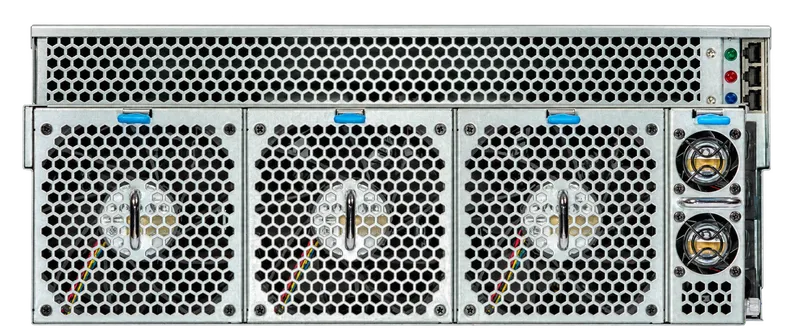
We build 4U GPU servers in Bulgaria with the RTX PRO 6000, H200 NVL and other NVIDIA GPUs. Your written quotation confirms compatibility, power and cooling, delivery and warranty. We can also arrange colocation in Bulgaria and platform setup.
Frequently asked questions
Is the RTX PRO 6000 Workstation Edition the same as the Server Edition?
Both use the same Blackwell GPU with 96GB of GDDR7. The Server Edition is passively cooled and relies on the server’s front-to-back airflow; the Workstation Edition has its own fans for desktop workstations. Our configurator lists the Server Edition at $11,900 and the Workstation Edition at $12,400 (indicative).
Does the H200 NVL work in any server?
No. It needs a server designed for passive 600W GPUs with sufficient airflow and power, and NVLink bridges need matching slot spacing. We confirm this for your platform in the quotation.
What about the H100 NVL or B200?
The H100 NVL has less memory (94GB) than the H200 NVL. B200 systems are SXM-based servers built around a GPU baseboard rather than PCIe cards — a different class of system. Contact us if your project needs that scale.
Sources
Specifications and platform details on this page come from the published sources below. Prices come from our configurator on the date shown at the top of the page.